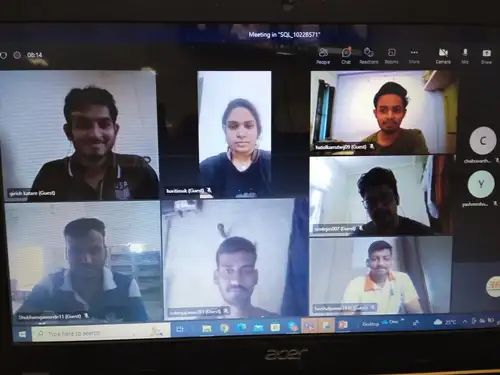
Data Analytics Course in Mumbai
Classroom • Live Online • Hybrid
Looking for a high-growth career in Data Analytics? Join 3RI Technologies’ Data Analytics Course in Mumbai and gain practical skills in Python, SQL, Excel, Power BI, and Tableau through industry-focused training and real-world projects. Get expert guidance and placement assistance to prepare for in-demand Data Analyst roles.
- 4.8/5 from 4,000+ Google Reviews
- 56K+ LinkedIn followers
- Pearson VUE | GASQ | ISO Certified
You’ll get WhatsApp confirmation and email with joining link / campus details.
TRUSTED BY




Get Free Career Counseling
Talk to a counselor in 5 minutes
Having trouble? Call us at 8308103366 or Chat on WhatsApp.
Key Features
Course Duration : 5 Months
Live Projects : 4
Online Live Training
EMI Option Available
Certification & Job Assistance
24 x 7 Lifetime Support
Our Industry Expert Trainer
We are a team of 10+ Years of Industry Experienced Trainers, who conduct the training with real-time scenarios.
The Global Certified Trainers are Excellent in knowledge and highly professionals.
The Trainers follow the Project-Based Learning Method in the Interactive sessions.
Data Analyst Course in Mumbai
The process of gathering, arranging, evaluating, and interpreting data in order to spot significant patterns, trends, and connections is known as data analytics. It assists companies in transforming unprocessed data into valuable insights that facilitate improved decision-making. The main phases of data analytics are examined in more detail below:
1. Data Collection
The data analytics process starts with collecting information from different sources, including databases, spreadsheets, websites, applications, and other systems. Data may be structured or unstructured, depending on its source and format.
2. Data Cleaning
Errors, inconsistencies, duplicate records, and missing numbers can all be found in raw data. In order to enhance data quality and guarantee that the information is reliable for further analysis, data cleaning involves identifying and correcting these problems.
3. Data Exploration
Once the data is cleaned, analysts explore it to understand its structure, patterns, distributions, and important characteristics. Descriptive statistics and visualization techniques help identify trends, unusual values, and relationships within the dataset.
4. Data Analysis
Data analysis is the central stage where different analytical methods are applied to generate meaningful insights:
- Descriptive analytics analyses past data to explain what occurs.
- Diagnostic analytics: Assists in determining the cause of a specific occurrence or result.
- Predictive Analytics: Uses historical patterns and data to estimate future outcomes.
- Prescriptive Analytics: Suggests suitable actions based on analytical findings.
5. Data Visualization
Data visualisation uses dashboards, graphs, charts, and other visual formats to display analytical results. Tools like Tableau and Power BI allow stakeholders quickly recognise significant trends and simplify complex information.
6. Data Interpretation
After analyzing the data, analysts interpret the results to understand what the findings actually mean. This step helps convert analytical insights into practical conclusions that can support business decisions.
7. Reporting
Reports, dashboards, and stakeholder presentations are used to provide the final observations. Good reporting helps organisations adopt data-driven, well-informed actions by clearly communicating significant results.
A lot of people assume data analytics training means learning Excel formulas and calling it a day. Even though that is a part of it, it is rather a very small part of true data analysis. The real work looks different. You’ll spend time with sales records that have missing entries, customer logs full of duplicate rows, and files that don’t match up the way they should. Making sense of that mess so a manager can actually use it is the actual job.
The Data analytics course in Pune builds this up gradually instead of covering everything in the first week. SQL comes first. In reality, any business data with digital infrastructure still sits in relational databases, and the ability to pull what you need on your own saves you from depending on someone else just every time a question comes up. Python follows after that. Pandas and NumPy handle the kind of messy, oversized datasets that a spreadsheet simply can’t manage well.
Visualization comes next. Power BI and Tableau make up a good chunk of this stage, because knowing the right insight means nothing if you can’t present it in a way a non-technical stakeholder understands in ten seconds. Statistics get folded in here too—enough regression and hypothesis testing to explain why a trend is happening, not just that it exists.
Toward the end, the course touches on basic web scraping for gathering external data and a working introduction to how cloud data warehouses handle large volumes of information. It isn’t meant for you to become an expert in every tool.. It is really meant to make you someone who can walk into any Mumbai-based company with data analytics requirements on day one and already know how the pieces fit together without orientation and retraining by the company.
In cities like Mumbai, areas such as Andheri, Powai, Thane, and Navi Mumbai continue to have opportunities for data analyst jobs across IT, finance, consulting, e-commerce, and other industries. Getting shortlisted for these roles is often the harder part of the job search. Many resumes in the applicant pool look similar to recruiters, so they tend to scan them quickly for skills and experience that stand out.
Companies usually want professionals who can work with raw data, clean and organize it, identify useful patterns, and communicate findings clearly to business teams. Instead of hiring separate people for every stage, many organizations prefer analysts who can handle multiple parts of the data workflow.
Once you’re through the Data Analytics Course in Mumbai, the most common job roles you could explore include:
Business Intelligence Analyst: Typically, a business intelligence analyst creates and maintains reports and dashboards. The objective is to enable managers to obtain critical company information and make well-informed choices without constantly depending on manual reporting.
Data Analyst — One of the most common roles, usually involving SQL, Excel, data visualization, and Python, depending on the organization’s requirements and size.
Reporting or MIS Analyst — Common across industries such as finance, logistics, retail, and operations, where the focus is on monitoring business performance, costs, productivity, and other operational metrics.
Junior Data Scientist or ML-adjacent Analyst — Suitable for learners who develop stronger foundations in statistics and Python and want to gradually move beyond traditional reporting and analytics.
Freelance and remote analytics opportunities are also an option for professionals who are comfortable working with clients or companies remotely. While it may not be the most common starting point after completing the course, it can become a practical career path as your skills and experience grow.
Salary expectations can vary depending on the organization, location, experience, and technical skills. Building a strong portfolio with practical projects can help demonstrate your capabilities when applying for data analyst jobs in Mumbai.
Almost every institute in Mumbai highlights similar points when you search for data analytics training in Mumbai—experienced trainers, placement assistance, practical learning, and an industry-relevant curriculum. The wording may look impressive, but these claims alone don’t tell you what the actual classroom experience will be like.
A better way to evaluate a course is to look at what you actually work on during training. Are you writing SQL queries using realistic datasets? Are you cleaning imperfect data and fixing errors yourself? Are you creating Power BI dashboards from raw information rather than simply watching a trainer demonstrate a finished dashboard?
A demo session can give you a good idea of this before you enroll. Pay attention to how the trainer handles unexpected problems—a failed SQL query, a Power BI connection issue, or an incorrect formula. Working through such situations practically can teach you much more than a perfectly rehearsed demonstration.
Location is another practical consideration. If you’re based around Andheri, Powai, Thane, Navi Mumbai, or other Mumbai areas, choosing a conveniently located institute can make attending regular classes easier. But location shouldn’t be the primary consideration. Check whether the syllabus covers the tools and skills currently used in analytics roles, including SQL, Python, Excel, Power BI, Tableau, statistics, and practical projects.
At 3RI Technologies, the focus of our Data Analytics Course in Mumbai is on practical, industry-oriented learning. The aim is to help students understand how different analytics tools work together and gain experience working with real-world datasets and business scenarios. Before choosing any institute, compare the curriculum, practical exposure, trainer experience, projects, and placement support to make an informed decision.
Many institutes in Mumbai claim to offer hands-on training and placement support after certification. But saying it and actually delivering it are two different things. The difference often becomes clear in the practical training, student support, and career preparation provided during the course. Here are three reasons to choose 3RI Technologies for a Data Analytics Course in Mumbai.
Our Data analytics classes in Mumbai focus on practical, instructor-led learning where students work with SQL queries, data-cleaning tasks, dashboard creation, and real-world business scenarios. Instead of simply watching a trainer demonstrate a solution, students get opportunities to practice, identify errors, and understand how to solve common problems faced during actual analytics work.
While working on practical tasks and projects, we also concentrate on developing an interactive learning environment where students can ask questions, get clarification on concepts, and receive assistance. Instead of just having students finish lessons, this method helps them deepen their understanding.
At 3RI Technologies, placement support is an essential part of the educational process. Students can receive support with resume preparation, interview preparation, career guidance, and practical project discussions to help them present their skills confidently during the hiring process.
The objective isn’t simply to complete a certification. At 3RI Technologies, our Data Analytics Training in Mumbai is designed to help students develop practical skills in tools such as SQL, Python, Excel, Power BI, and Tableau while understanding how these technologies are used to solve business problems. This practical approach can make the transition from classroom learning to professional analytics work more meaningful.
We regularly ask students what is working well and where they need more support during our Data Analytics Course in Mumbai, and their feedback has helped us improve several parts of the training over time.
A few changes that came directly from student feedback include:
Added a foundational learning stage before SQL and Python. Some students felt that moving directly into programming was challenging without a technical background. We now introduce basic logic, data concepts, and Excel skills first to make the transition smoother.
Slowed down the data cleaning modules. Trainers previously covered these topics quickly, assuming students would practise independently. Feedback showed that more guided practice was useful, so we added additional lab sessions where students work with real-world, messy datasets while trainers help them understand the data analytics life cycle step by step.
Added a second round of mock interviews. Students found that a single mock interview toward the end of the course wasn’t always enough to build confidence. We introduced an earlier mock interview round so learners have time to identify gaps, improve their answers, and prepare better before actual interviews.
These changes reflect our focus at 3RI Technologies on making the data analytics training in Mumbai more practical, supportive, and aligned with what students need throughout their learning journey.
Depending on the institution, length of the course, curriculum, hands-on training, and placement support offered, the price of a Data analyst course in Mumbai can vary greatly.Some intensive programs may cost ₹50,000 or more, while lower-cost options may offer limited practical exposure or primarily recorded content.
Here’s what you can consider when evaluating the cost of a data analytics certification in Mumbai:
- Course fee: At 3RI Technologies, the course fee is structured to provide access to comprehensive training without making the overall cost unnecessarily difficult for students. The final fee may vary based on the selected course structure, modules, and certification options.
- Payment options: Students can enquire about available payment options and choose a suitable payment structure based on the institute’s current policies.
- Group discounts: If multiple friends, colleagues, or classmates plan to join the same data analytics training in Mumbai, you can enquire about group enrollment benefits and applicable discounts.
- Free trial session: Attend a demo session to understand the teaching approach, course curriculum, and practical learning environment before making your decision.
- Practical training and project access: The course focuses on hands-on learning through practical exercises, datasets, assignments, and projects so students can gain experience applying analytics concepts rather than relying only on theoretical lessons.
Instead of choosing a course on only the basis of cost, compare the curriculum, trainer experience, practical exposure, certification, placement assistance, and total learning support before enrolling.
If you’re planning to build a career in data analytics, choosing the right training program can give you a structured path to develop the required technical and analytical skills. At 3RI Technologies, our Data Analytics Training in Mumbai focuses on practical learning across SQL, Python, Excel, Power BI, Tableau, statistics, and real-world projects.
If you want to strengthen a specific skill before committing to the complete course, you can also explore individual areas that complement a data analytics career:
- SQL Training in Mumbai — useful for building a strong foundation in database querying and data extraction.
- Python Course in Mumbai — helpful for developing programming and data-analysis skills using Python libraries.
- Power BI Training in Mumbai — suitable for learners interested in business intelligence, reporting, and interactive dashboard development.
Reach out to 3RI Technologies or attend a demo session to understand the current Data Analytics Course in Mumbai, available batches, curriculum, and enrollment options before starting your learning journey.
Skills Required
- No Prerequisites for Data Science certification training
- Basic knowledge of SQL is advantageous
Data Analytics Course Syllabus
The detailed syllabus is designed for freshers as well as working professionals
Decade Years Legacy of Excellence | Multiple Cities | Manifold Campuses | Global Career Offers
1. Fundamentals of Data Science and Mathematical statistics
● Introduction to Data Science
● Need of Data Science
● BigData and Data Science
● Data Science and machine learning
● Data Science Life Cycle
● Data Science Platform
● Data Science Use Cases
● Skill Required for Data Science
2. Mathematics For Data Science
● Linear Algebra-Matrices
o Zero
o One
o Identify
o Diagonal
o Column
o Row
o Operations
3. Statistics for Data Science
● Structured and unstructured
● Measures of central tendency and dispersion
● Empirical Formula
● Confidence Interval
● Central Limit Theorem
4. Probability and Probability Distributions
● Probability Theory
● Conditional Probability
● Data Distribution
● Normal Distribution
● Binomial Distribution
5. Tests of Hypothesis
● Large Sample Test vs Small Sample Test
● One Sample: Testing Population Mean
● Hypothesis in One Sample z-test
● Two Sample: Testing Population Mean
● One Sample t-test – Two Sample t-test
● Chi-Square test
1. Using a Spread sheet
● What is Excel?
● Why Use Excel?
● Excel Overview
● Excel Ranges, Selection of Ranges
● Excel Fill, Fill Copies, Fill Sequences, Sequence of Dates
● Excel adds, move, and delete cells
● Excel Formulas
● Relative and Absolute References
2. Functions
● SUM
● AVERAGE
● COUNT
● MAX & MIN
● RANDBETWEEN
● TRIM
● LEN
● CONCATENATE
● TODAY & NOW
3. Advanced Functions
● Excel IF Function
● Excel If Function with Calculations
● How to use COUNT, COUNTIF, and COUNTIFS Function?
4. Data Visualization
● Excel Data Analysis – Data Visualization
● Visualizing Data with Charts
● Chart Elements and Chart Styles
● Data Labels
● Quick Layout
● An Introduction to RDBMS & SQL
● Data Retrieval with SQL
● Pattern matching with wildcards
● Basics of sorting
● Order by clause
● Aggregate functions
● Group by clause
● Having clause
● Nested queries
● Inner join
● Multi join
● Outer join
● Adding and Deleting columns
● Changing column name and Data Type
● Creating Table from existing Table
● Changing Constraints Foreign key
1. An Introduction to Python
● Why Python , its Unique Feature and where to use it?
● Python environment Setup/shell
● Python Identifiers, Keywords
2. Conditional Statement ,Loops and File Handling
● Python Data Types and Variable
● Condition and Loops in Python
● Decorators
● Python Files and Directories manipulations
3. Python Core Objects and Functions
● String/List/Dictionaries/Tuple
● Python built in function
● Python user defined functions
4. Introduction to NumPy
● Array Operations
● Arrays Functions
● Array Mathematics
o Mean
o Standard Deviation
o Max
o Min
● Array Manipulation
o Reshaping
o Resizing
● Random function
● Transpose
5. Data Manipulation with Pandas
● Data Frames
● Series
● Creating Pandas DataFrame
● Selection in DFs
● Data Describe
● Data info
● Retrieving in DFs
● Reshaping the DFs – Pivot
● Combining DFs
o Merge
o Concatenation
6. Visualization with Matplotlib
● Matplotlib Installation
● Matplotlib Basic Plots & it’ s Containers
● Matplotlib components and properties
● Scatter plots
● Histograms
● Bar Graphs
● Pie Charts
● Box Plots
7. SciPy
● Hypothesis Testing using Scipy
● Shapiro Test
● Spearmaman Test
● T-Test of Independents
● Chi-Square Test
Module 1: Introduction to Power BI
1. Introduction to Business Intelligence & Power BI
● Need for Business Intelligence
● Evolution of Power BI
● What is Power BI? Features & Components
2. Power BI Ecosystem
● Power BI Desktop
● Power BI Service
● Power BI Mobile
● Power BI Report Builder vs Paginated Reports
3. Installation & Setup
● Downloading Power BI Desktop
● Installing and configuring settings
● Exploring the start screen and workspace
4. Power BI Interface Overview
● Ribbon and Navigation Pane
● Report, Data, and Model views
● Fields Pane and Visualizations Pane
5. Supported Data Sources
● Excel, CSV, SQL Server, Web APIs
● Cloud sources: Azure, SharePoint, OneDrive
● Folder as a data source
Module 2: Data Loading and Transformation with Power Query
1. Connecting to Data
● Import vs DirectQuery
● Loading from Excel, CSV, Web, SQL Server
● Data Preview and Load options
2. Power Query Editor Overview
● Power Query UI walkthrough
● Applied Steps and Query Settings pane
● Understanding queries and query dependencies
3. Column-Level Transformations
● Split column by delimiter/position
● Merge columns
● Change data types
● Rename columns
● Add column from examples
4. Row-Level Transformations
● Filter rows based on conditions
● Remove or keep rows
● Sorting data
● Grouping data with aggregations
5. Data Cleaning & Shaping
● Handling missing values: Replace, Fill up/down
● Remove duplicates
● Pivot and Unpivot operations
● Creating conditional columns
6. Advanced Power Query Techniques
● Creating custom columns
● Using Parameters and Parameter tables
● Creating custom functions
● Merging and appending queries
● Reference vs Duplicate queries
Module 3: Data Modeling in Power BI
1. Introduction to Data Modeling
● Purpose of data modeling in BI
● Star schema vs Snowflake schema
2. Relationships in Power BI
● Creating and managing relationships
● Active vs Inactive relationships
● Cardinality (One-to-One, One-to-Many, Many-to-Many)
● Cross filter direction
Module 4: Introduction to DAX (Data Analysis Expressions)
1. DAX Basics
● What is DAX? Why DAX is powerful
● Calculated columns vs Measures
● Syntax rules and naming conventions
● Operators and precedence
● Data types supported in DAX
2. Commonly Used DAX Functions
Aggregation Functions:
● SUM, AVERAGE, MIN, MAX, COUNT,DISTINCTCOUNT
Logical Functions:
● IF, SWITCH, AND, OR, NOT
Text Functions:
● CONCATENATE, LEFT, RIGHT, SEARCH, FORMAT
Date/Time Functions:
● TODAY, NOW, YEAR, MONTH, WEEKNUM, DATEDIFF, DATEADD
Filter Functions:
● CALCULATE, FILTER, ALL, VALUES, REMOVEFILTERS
Time Intelligence Functions:
● TOTALYTD, SAMEPERIODLASTYEAR, PREVIOUSMONTH, DATESYTD
3. Advanced DAX Concepts
● Understanding Row Context vs Filter Context
● Context Transition with CALCULATE
● Iterator Functions: SUMX, AVERAGEX, MAXX, RANKX
● Optimization and performance tips for complex models
Module 5: Visualizations in Power BI
1. Core Visual Elements
● Bar/Column charts, Line charts, Pie/Donut charts
● Matrix and Table visuals
● Cards and Multi-row cards
● Maps: Shape map, Filled map
2. Slicers and Filters
● Basic Slicers
● Date and Range slicers
● Sync Slicers across pages
● Drill-down and Drill-through
3. Formatting and Interactions
● Title, label, legend customization
● Tooltips, data labels, axis formatting
● Visual interaction controls
● Custom themes and color palettes
4. Advanced Visualization
● Bookmarks and Selections Pane
● Button navigation
● Custom visuals from marketplace
● Using Python/R for visuals
Module 6: Dashboard and Report
Development
1. Report Creation
● Designing professional dashboards
● Layouts: pages, grids, sections
2. Navigation and UX
● Page navigation buttons
● Tabs, bookmarks, and interactivity
3. KPI and Gauge Visuals
● Setting up KPIs using measures
● Gauge chart design for targets
4. Filters in Depth
● Report level vs Page level vs Visual level
● Using Filter Pane and slicers
5. Performance Optimization
● Reducing visuals
● Optimizing queries and model size
● Best practices for report speed
Module 7: Power BI Service (Cloud)
1. Power BI Service Overview
● Navigating the Power BI workspace
● Publishing from Desktop to Service
2. Datasets, Reports, and Dashboards
● Difference between reports and dashboards
● Creating live dashboards in the Service
3. Collaboration & Sharing
● Sharing dashboards with users
● Workspace roles and permissions
● Power BI apps for distribution
4. Data Refresh & Gateway
● Scheduled and manual refresh
● Installing and configuring Gateway
● On-premises data connectivity
5. Row-Level Security (RLS)
● Creating roles and rules
● Testing roles in Power BI Service
1.Foundations of Artificial Intelligence
- Explore the evolution of Artificial Intelligence (AI) from the 1950s to today, covering key milestones like the Turing Test and Deep Blue.
- Understand core AI concepts: Machine Learning (ML), Deep Learning (DL), Neural Networks, Perceptrons, and Transformers (e.g., BERT, GPT).
- Learn about AI types: Narrow, General, and Superintelligent.
- Discover real-world AI applications across industries like customer service, marketing, and finance.
2. Introduction to Generative AI
- What is Generative AI
- Evolution from Traditional AI → Gen AI
- Overview of Generative AI models Large Language Models (LLMs)
- GPT, Gemini, Claude (comparison & use cases)
3. Prompt Engineering & Task Automation
- What is Prompt Engineering & why it matters
- Prompt structure: Context → Task → Output
- Prompting Techniques
- Zero-shot prompting
- Few-shot prompting
- Chain-of-Thought prompting
- ReAct prompting (Reason + Act) Role-based prompting
- Common prompt mistakes & how to fix them
- Reusable prompt templates
- Get hands-on experience using ChatGPT and Claude for task automation
Module Domain: Exploratory Data Analysis
● Case study: Admission Prediction of Graduate Admissions from an Indian
Perspective
Module Domain: Univariate and Multivariate
● Data Analysis: Case Study: Melbourne Housing, house price prediction data
set
Module Domain: Bivariate Analysis and Pandas Profiling
● Case Study: Suicide rates overview 1985 to 2016
Module Domain: Data Preprocessing: Dealing with missing values and outliers
● Case Study: Data set which deals about some cities and states. Observe the
data and see if you can recognize missing values or garbage values in the
data set and handling them. Also treating the outliers in the data set.
Module Domain: Descriptive Statistics
● Case study: Cardio Good Fitness
Module Domain: Applied Statistics
● Case Study: Leveraging customer information for making business decisions.
● Case Study: Understanding factors for Churn in a Telecom Company
Module Domain: Visualization tools
● Case Study: Sales forecast analysis
Marketing Campaign Case Study
● Airline Fare case analysis
Project Work and Case Studies Power BI
❖ Project: Retail Sales Dashboard
● Sales vs Target KPIs
● Product category and region-wise breakdown
❖ Project: HR Analytics Dashboard
● Attrition rate, hiring trends
● Department-level analysis
❖ Project: Financial Performance Report
● P & L view, trend analysis, YoY comparison
❖ Project: Supply Chain and Inventory Dashboard
● Stock availability
● Supplier performance tracking
Course Highlights

Live sessions across 6 months

Industry Projects and Case Studies

24*7 Support
Who can apply for the course?
- Aspiring Data Scientists who are interested in switching careers.
- Graduate/post-graduate students wishing to pursue their careers in Data Analytics/Data Science.
- Professionals who work with big data.
- Professionals from non-IT bkg, and want to establish in IT.
- Candidate who would like to restart their career after a gap.
- Machine learning is a topic of interest to professionals.
- Business analysts and those who work with data
Want an Expert Opinion?

Batch Schedule
Schedule Your Batch at your convenient time.
Sr. No.
Module Name
Batch Start Date
Batch Days
Timing
Enroll

Claim your free expert counseling session today!
Do you want to book a FREE Demo Session?
Project Work & Case Studies
Validate your skills and knowledge
Validate your skills and knowledge by working on industry-based projects that includes significant real-time use cases.
Gain hands-on expertize
Gain hands-on expertize in Top IT skills and become industry-ready after completing our project works and assessments.
Latest Industry Standards
Our projects are perfectly aligned with the modules given in the curriculum and they are picked up based on latest industry standards.
Get Noticed by top industries
Add some meaningful project works in your resume, get noticed by top industries and start earning huge salary lumps right away.
Our Clients



























Tools to master





Skills to master
My SQL
Python
Ms Excel
NumPy
Tableau
Data Analytics
PowerBI
Supervised Learning
Supervised Learning
Big Data
R
Scipy
Data Analytics Training In Mumbai Testimonials
What our students talks about us. If you were student of 3RI and wants to share your thought about us, kindly mail or call us.
Frequently Asked Questions
In order to specialize in data science and business analytics, one must get the Data Analytics masters certification Mumbai . Additionally, gain proficiency in pertinent areas including as programming, analytics & modeling, machine learning techniques, management, business, and data visualization. After completing the training program for data analysts, you can find a respectable career.
There are many advantages to enrolling in a data analytics course in Mumbai. It gives you the fundamental abilities needed to evaluate and comprehend data, improving your employability across a range of sectors. Mumbai’s vibrant business scene offers lots of opportunity to gain practical experience. Moreover, networking with urban business people might result in job placements and career growth.
In order to assess the quality and reliability of a data analytics course in Mumbai, take into account elements like accreditation from reputable organizations, student reviews and testimonials, instructor credentials and industry experience, curriculum alignment with current industry trends, and job placement support offered. You may make an informed choice about the course’s dependability and fit for your learning objectives by researching these factors.
The following modules make up this online certification course for data analysts:
- SQL
- Excel-Based Business Analytics
- Data science with R programming
- Tableau Instruction
- Master’s Capstone in Data Analysis
- Python Programming Fundamentals and Data Analytics
- PowerBI
Many professionals are interested to master Data Analytics, but they are unsure about where to start. To assist applicants understand everything from scratch, 3RI Technologies has addressed this challenge. Therefore, it will be simple for beginners to understand the course material from the start.
This data analytics course in Mumbai is beneficial for both people who know how to program and others who don’t. However, having a basic understanding of programming languages like R, Java, SQL, or Python is recommended.
Many tools are used in data analysis. Tableau and other business intelligence technologies are used by some data analysts. Some could utilize computer languages such as Python or SQL, which come with built-in statistical and visualization tools.
Data analytics may help people and organizations make sense of data. Data analysts frequently look at raw data to identify trends and insights. Organizations use a range of tools and tactics to help them make decisions and flourish.
If you’ve never worked in data analysis before, research in a data analytics job openings worldwide. You may be able to find employment as a data analytics specialist if you have some past experience and transferable analytical skills.
- Data Analyst
- Business Intelligence Analyst
- Data Analyst Consultant
- Operations Analyst
- Quantitative Analyst
- Marketing Analyst
- Data Engineer
- Data Scientist
- IT Systems Analyst
- Project Manager
When learning data analytics, it would be helpful to have technical abilities such data analysis, statistical knowledge, data narrative, communication, and problem-solving. Additionally seen as essential abilities are business intuition and strategic thinking for data analysts who regularly work with business stakeholders.
3RI Technologies offers many video lessons from real-world industry projects, industry experts’ training, lifetime access to self-paced study, and instructor-led instruction.
The data analytics tools and technologies in a Mumbai data analyst course usually center on gathering, cleaning, analyzing, and visualizing data. Students may work on projects including utilizing programs like Excel, Python, or R, producing data reports, investigating real-world datasets, and honing their SQL querying abilities. The goal of the activities is to provide students with practical experience in data analysis so they can make informed business decisions.
To stay informed about the most recent advancements in data analytics course in Mumbai, you can take part in online forums and communities, read industry blogs, subscribe to publications about data, attend data-focused workshops and events, and consider joining neighborhood professional networking groups. By taking part in these events, you will be able to keep informed about advances and network with other professionals in the field.
In order to capitalize on the increasing demand for data analytics jobs, the 3RI Technologies Data Analyst course is an excellent means of gaining advanced data analysis abilities, including techniques for data visualization, blending, and extraction.
Data Analytics Information
- What Is Artificial Intelligence And Its Applications?
- Top Essential Data Engineer Skills in 2023
- What is Database- Types, Example, Advantages, Disadvantages
- Data Analyst Salary in India For Freshers and Experienced in 2024
- Python Tutorial for Beginners in 2023
- The Top 10 Most in-demand Tech Jobs for 2024
- 5 tips to crack interview in Data Visualisation
- 5 mistakes to avoid in 2024 for Data Analyst
- Data Science Tutorial for Beginners in 2023
- What Is Data Science With Example
- Top 10 Most in-demand Data Science Certifications
- How to become Data Scientist?
- Top 80 Data Science Interview Questions and Answers
- What Is Data Analytics: Skills, Career, Jobs, and Salary
- Top 50 Data Analyst Interview Questions And Answers
- Difference Between Data Analytics, Data Analysis, Data Mining, Data Science, Machine Learning, And Big Data
- Data Scientist Salary in India
- Machine Learning Engineer Salary In India
- Why Data Science is Important in Business
- What is NLP(Natural Language Processing)?
- The Role of NLP in Data Science
- Best Technologies To Learn In IT Industry 2020
- Is AI going to replace you?
- What is a Data Engineer? Skills, Career, Job, and Salary
- Start Upskilling Yourself in 5 Latest Trending Technologies in this Diwali 2023
- What Is A Data Analyst? How To Become A Data Analyst?
- 5 Advantages in Data Analytics for a non-IT fresher
- 5 habits of a Successful Data Scientist
- Top 25 Applications of Data Science
- Challenges in The Data Analyst Field As A Fresher
- Data Analyst vs Data Scientist
- Data Analytics Vs Business Analytics
- Resume of Data Scientist
- What is the difference between data science and AI?
- Data Science Vs Machine Learning
- What is Machine Learning? Definition, Types, Applications, and Trends
- What is a Neural Network?
- What is Sklearn in Python?
- Data Analytics For Marketing
- Data Science For Marketing
- Be The Trending Data Scientist With The Best Data Science Course In Pune
- Top 10 Job Oriented Courses After Graduation
- Trending Software Courses For 2023
- What Is ChatGPT Used For?
Our Gallery