Power BI course in Pune

Classroom • Live Online • Hybrid

Government-recognized, industry-relevant training by 3RI. Build a job-ready portfolio, practice with mock interviews, and get placement assistance from screening to HR.

TRUSTED BY

Get Free Career Counseling

Talk to a counselor in 5 minutes

Having trouble? Call us at 8308103366 or Chat on WhatsApp.

Achievement

Trainings Conducted
0 +
Batches Completed
0 +
Companies Tie-ups
0 +
Students Placed
0 +
Corporate Trainings
0 +

Nothing stops you from learning

We provide EMI facility for you 

EMI Plan Registration Percent
EMI
With
0% Interest
On Registration
10%
1st installment – 1st month of joining
70%
2nd installment – 2nd month
20%

Key Features

Course Duration : 4 months

Project Based Learning

Certification & Job Assistance

Real-Time Projects : 2

EMI Option Available

24 x 7 Support

Free Career Counselling

Overview - Power BI Course in Pune

What is Power BI?

Power BI has become one of the most widely used tools for business analytics and reporting. Companies across IT, finance, manufacturing, retail, and consulting depend on Power BI dashboards to make faster, data-driven decisions.

Students, working professionals, and anybody looking to start a career in data analysis or business intelligence can all benefit from our Power BI training in Pune. You’ll learn how to clean, model, analyze, and visualize data using real-time datasets and business case studies.

Our course includes hands-on training with SQL and Power BI, ensuring you understand the full scope of data analytics. Learn through live projects, expert mentoring, and real-time scenarios that prepare you for the job market. With clear course details on Power BI course duration and fees, you’ll know exactly what to expect.

We believe in outcomes, not just theory. That’s why we provide 100% placement assistance and focus on ensuring you’re job-ready. From Power BI training and placement support to our 100% job guarantee track, we’re committed to your success. Whether you’re asking, “Where can I find the best Power BI classes in Pune?” or looking for Power BI training near me, this course is designed to help you build a meaningful career with practical skills.”

About the Power BI course in Pune at 3RI Technologies

Microsoft offers a tool for business analytics called Power BI. You can use it to visualize your data and distribute insights around your company, or you can incorporate them in an app or website. Users can easily construct their own reports and dashboards using the interface. In terms of business intelligence tools, the power bi course in Pune is ranked first.


Power BI offers desktop-based and cloud-based business intelligence (BI) services under the “Power BI Services” brand. It provides interactive dashboards, data discovery, and data preparation tools for data warehouses.


All corporate entities and divisions today require in-depth business insights, and this business intelligence solution gives you the authority you need. You may quickly combine data from several sources to create reports, graphs, or data visualizations as needed. You can receive real-time insights and deploy them quicker than with any other BI product on the market by implementing Power BI. It doesn’t require technical expertise or IT support because it is open-source and very intuitive. Our power bi classes in Pune will help you advance your career quickly while preparing you for the highest-paying positions on the market.

Why Learn Power BI in 2025?

Power BI continues to dominate the analytics and visualization domain as companies shift toward data-driven decision-making. From MNCs to startups, almost every industry in Pune is adopting Power BI for BI dashboards, reporting automation, and business insights.

  • Over 400+ Power BI Analyst & Developer jobs in Pune are listed on major hiring platforms every month.
  • Average salary for Power BI professionals in Pune ranges between ₹5–9 LPA, depending on skills, experience, and project exposure.
  • Companies like TCS, Infosys, Wipro, Deloitte, Cognizant, Accenture, and EY actively hire Power BI specialists.

Our Power BI training in Pune is designed to meet this strong industry demand and help you build job-ready expertise through real Tableau-like dashboards, data transformations, and analytics projects.

Who Can Join This Power BI Course in Pune?

This course is perfect for:

  • Fresh graduates (any stream)
  • Working professionals shifting to analytics
  • Students preparing for data roles
  • Professionals with Excel or SQL knowledge
  • Anyone looking for Power BI courses near me with strong job support

No coding background is required.

Benefits of Power BI Training
  • Rich, customised dashboards

Power BI’s most advantageous feature is the customizable information dashboards that can be tailored to meet the specific needs of any organization. To ensure a streamlined user experience, the dashboards and BI reports can be seamlessly embedded in applications.

  •  Memory and speed limitations are absent:

By moving an existing BI system to a robust cloud environment with incorporated Power BI, memory and speed limitations are removed, ensuring that data can be retrieved and analysed fast.

  • Quick and precise business intelligence extraction:

It assists in converting your corporate data into detailed visualisations and then extracting business intelligence for better decision-making.

  • Supports services for Advanced Data:

The development teams for Microsoft Power BI can assist in effortlessly integrating the environment with cutting-edge cloud services like Cognitive services, Cortana, or Bot framework. Resulting in the spoken data query given via natural language being provided.

  • Easily integrates with current applications:

Power BI provides businesses with the ability to seamlessly deploy analytics and reporting capabilities into their existing operations.

You can also get assistance from Microsoft Azure consultants in utilising this simple technology to quickly integrate dynamic visuals into your applications.

  • Securely publish reports:

The tool enables you to generate reports and set up automatic data refresh so that all users may see the most recent data.

  • There is no need for expert technical support: 

Power bi training in Pune offers agile inquiry and analysis without the need for professional technical help. It facilitates the usage of simple graphical designer tools and a strong natural language interface. 

  • Performance and simplicity in harmony:

The DAX scripting language and in-memory analysis technology are two examples of striking a balance between simplicity and efficiency.

Why 3RI Technologies Stands Out

ISO 9001:2015 Certified Excellence

3RI Technologies is proud to be an ISO 9001:2015 certified institute, ensuring top-quality education, structured processes, and trusted learning outcomes.

Our Credentials at a Glance:

  • ISO 9001:2015 Certified for Quality Training
  • Approved Training Partner for Several IT Certification Courses
  • 50,000+ LinkedIn Followers & Active Alumni Network
  • Consistently Rated 4.8 on Google & JustDial

These credentials reflect our commitment to offering the best Power BI classes in Pune, backed by transparent results and student success stories.

Flexible Learning Options

Select a learning approach that works with your schedule:

  • Classroom Power BI classes in Pune: Hands-on sessions with experienced mentors
  • Online Live Training: Interactive online sessions with recordings and practice files
  • Hybrid Mode: Combine in-person and online convenience
  • Weekend Batches: Perfect for professionals who work
  • Fast-Track Courses: Condensed learning for quicker job readiness

If you searched Power BI classes near me or Power BI courses near me, we offer multiple Pune locations and online access for maximum flexibility.

Power BI Certification Training in Pune

After completing the program, you will receive a Power BI certification from 3RI Technologies.
The course also prepares you for Microsoft’s official Power BI certifications.

Why Certification Matters

  • Adds credibility to your resume
  • Helps in job applications & salary hikes
  • Required by many corporate companies

Certification is included in the training — no hidden charges.

Power BI Course Fees in Pune

We offer flexible fee options to ensure everyone can start their analytics journey.

  • Standard Power BI course fees in Pune: Affordable and based on batch type
  • EMI options available for all students
  • Special discounts for final-year students and working professionals

You can contact our team to get the exact Power BI course in Pune fees based on classroom, online, or fast-track options.

Why Choose 3RI Technologies for Power BI Training Pune?

3RI Technologies has been a trusted Power BI training provider in Pune for more than 15 years. Our training helps you get prepared for work right away by combining hands-on instruction, mentorship, and placement assistance.

What Makes Us a Preferred Choice

  • Learn from certified BI and data analytics professionals
  • Practical, industry-oriented training with real datasets
  • Personalized attention with small batch sizes
  • Flexible modes: online, offline, and weekend batches
  • Power BI course with job assistance in Pune
  • Interview preparation and resume-building support

If you searched for Power BI classes near me, 3RI Technologies offers multiple training centers and online options for flexible learning.

Power BI Course in Pune – What You Will Learn

Our Power BI course in Pune covers everything from the basics of data modelling to advanced DAX formulas, dashboard creation, and Power BI service deployment. The curriculum is designed according to the latest industry requirements so you gain skills that directly apply to real-world jobs.

Course Modules

  1. Introduction to Business Intelligence
  • Basics of BI, reporting, decision-making
  • Role of Power BI in analytics
  • Understanding data ecosystem
  1. Power BI Desktop
  • Connecting data from Excel, SQL, web, and APIs
  • Using Power Query Editor to convert data

  • Data modelling and relationships
  • DAX functions and advanced calculations
  1. Data Visualization
  • Creating interactive dashboards
  • Designing charts, maps, and KPI visuals
  • Conditional formatting and custom visuals
  1. Power BI Service
  • Publishing dashboards to cloud
  • Sharing workspaces and reports
  • Power BI mobile and alerts
  1. Power BI with SQL
  • Using SQL queries inside Power BI
  • Real-time analytics integration
  1. End-to-End Capstone Project
  • Build a full business dashboard
  • Industry case studies (Sales, HR, Finance, Operations)

This structured program makes it the best Power BI training in Pune for learners aiming for a strong data career.


Power BI Classroom Training in Pune – For Students Who Prefer Offline Learning

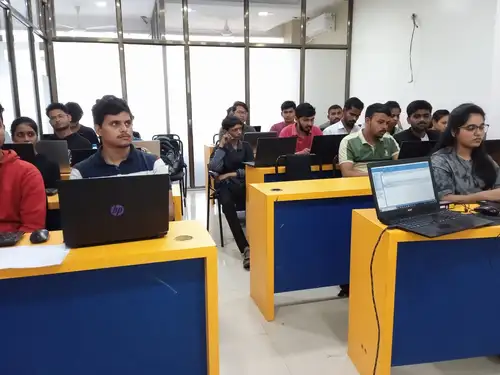
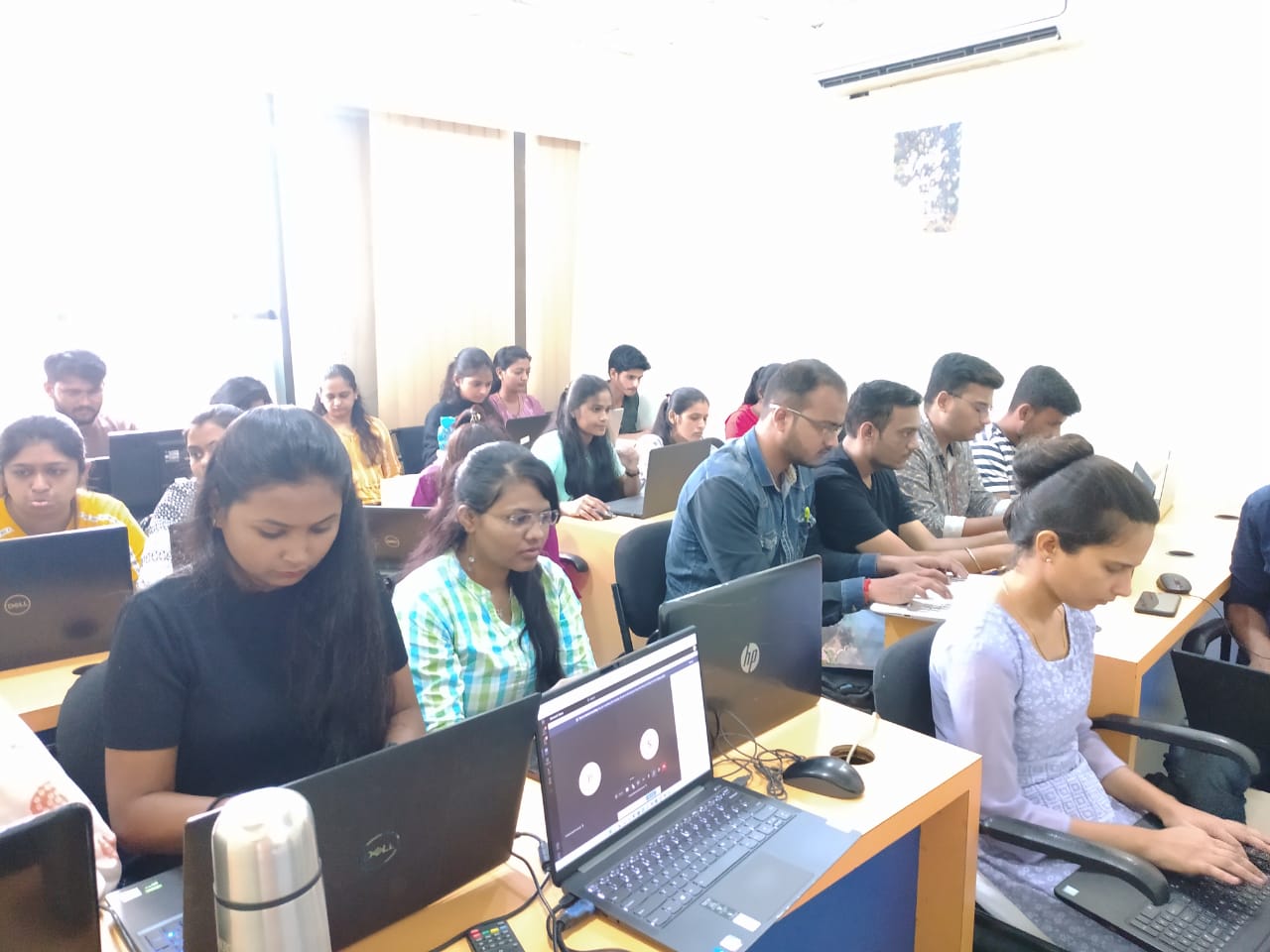
We offer Power BI classroom training in Pune with high-end lab setups, live mentoring, and personal guidance.
Classroom batches are available at our multiple Pune centers, making it convenient for students searching for Power BI classes Pune or Power BI classes in Pune near me.

Career Opportunities After the Power BI Course in Pune

Career Opportunities After the Power BI Course

Power BI skills are in demand across industries, and companies in Pune actively hire Power BI Developers, Analysts, and BI Specialists.

Career Options After Power BI Course in Pune

Job Role

Key Responsibilities

Average Salary (Pune)

Top Hiring Companies

Career Growth Path

Power BI Developer

Build dashboards, DAX calculations, data modeling

₹5–8 LPA

TCS, Cognizant, Deloitte, Wipro

Senior BI Developer → BI Architect

Data Analyst

Analyze business data, create visual insights

₹5–9 LPA

Infosys, Accenture, EY, Zensar

Data Analyst → Data Scientist

BI Analyst

Design BI solutions, KPI dashboards

₹6–10 LPA

Capgemini, PwC, IBM

BI Analyst → BI Consultant

Reporting Analyst

Automate reports, generate business reporting systems

₹4–7 LPA

Persistent, Tech Mahindra, HCL

Reporting Analyst → BI Specialist

Business Analyst

Interpret trends & deliver insights using Power BI

₹6–12 LPA

MNCs, Startups

Business Analyst → Product Analyst


Sources: AmbitionBox 2025 | Naukri | Glassdoor India

Meet Our Expert Power BI Trainers

Our instructors are experienced BI specialists with more than 8–15 years of expertise in business intelligence and data analytics.

Trainer Highlights

  • Certified Power BI & Microsoft BI Experts
  • Delivered BI solutions for global enterprises
  • Expertise in DAX, SQL, Data Modeling & Dashboard Design
  • Have trained 5,000+ students in analytics
  • Focus on real-world scenarios, not just tool features

You learn from practitioners who build dashboards professionally — not just instructors.

Our 100% placement support helps learners transition into BI and analytics roles with confidence.
We train you not just for the tool but for the job.

Placement Support Includes:

  • Resume & LinkedIn Profile Optimization
  • Mock Technical & HR Interviews
  • BI & Power BI Interview Question Practice
  • Communication & Soft Skills Training
  • Exclusive Job Drives with Local Pune Companies
  • Post-Placement Mentorship

Placement Statistics

  • 95% placement rate within 3–6 months
  • Average starting salary: ₹5–8 LPA
  • Top recruiters: TCS, Infosys, Deloitte, Wipro, Accenture, Zensar

We are happy to help you 24/7

Prerequisite

Who can apply for this program?

It’s a good idea to familiarise yourself with some of the common prerequisites prior to learning Power BI. Although mastering any of these tools or apps is not required in order to be competent with Power BI, the more familiarity you have with each, the quicker and easier it will probably be for you to start using Power BI.

Power BI with SQL Syllabus

The detailed syllabus is designed for freshers as well as working professionals

Decade Years Legacy of Excellence | Multiple Cities | Manifold Campuses | Global Career Offers

Module 1: Introduction to Power BI

1. Introduction to Business Intelligence & Power BI
    ● Need for Business Intelligence
    ● Evolution of Power BI
    ● What is Power BI? Features & Components
2. Power BI Ecosystem
    ● Power BI Desktop
    ● Power BI Service
    ● Power BI Mobile
    ● Power BI Report Builder vs Paginated Reports

3. Installation & Setup
    ● Downloading Power BI Desktop
    ● Installing and configuring settings
    ● Exploring the start screen and workspace
4. Power BI Interface Overview
    ● Ribbon and Navigation Pane
    ● Report, Data, and Model views
    ● Fields Pane and Visualizations Pane

5. Supported Data Sources
    ● Excel, CSV, SQL Server, Web APIs
    ● Cloud sources: Azure, SharePoint, OneDrive
    ● Folder as a data source

Module 2: Data Loading and Transformation with Power Query

1. Connecting to Data
    ● Import vs DirectQuery
    ● Loading from Excel, CSV, Web, SQL Server
    ● Data Preview and Load options
2. Power Query Editor Overview
    ● Power Query UI walkthrough
    ● Applied Steps and Query Settings pane
    ● Understanding queries and query dependencies
3. Column-Level Transformations
    ● Split column by delimiter/position
    ● Merge columns
    ● Change data types
    ● Rename columns
    ● Add column from examples
4. Row-Level Transformations
    ● Filter rows based on conditions
    ● Remove or keep rows
    ● Sorting data
    ● Grouping data with aggregations
5. Data Cleaning & Shaping
    ● Handling missing values: Replace, Fill up/down
    ● Remove duplicates
    ● Pivot and Unpivot operations
    ● Creating conditional columns
6. Advanced Power Query Techniques
    ● Creating custom columns
    ● Using Parameters and Parameter tables
    ● Creating custom functions
    ● Merging and appending queries
    ● Reference vs Duplicate queries

Module 3: Data Modeling in Power BI

1. Introduction to Data Modeling
    ● Purpose of data modeling in BI
    ● Star schema vs Snowflake schema
2. Relationships in Power BI
    ● Creating and managing relationships
    ● Active vs Inactive relationships
    ● Cardinality (One-to-One, One-to-Many, Many-to-Many)
    ● Cross filter direction

Module 4: Introduction to DAX (Data Analysis Expressions)

1. DAX Basics
    ● What is DAX? Why DAX is powerful
    ● Calculated columns vs Measures
    ● Syntax rules and naming conventions
    ● Operators and precedence
    ● Data types supported in DAX
2. Commonly Used DAX Functions
Aggregation Functions:
    ● SUM, AVERAGE, MIN, MAX, COUNT,DISTINCTCOUNT
Logical Functions:
    ● IF, SWITCH, AND, OR, NOT
Text Functions:
    ● CONCATENATE, LEFT, RIGHT, SEARCH, FORMAT
Date/Time Functions:
    ● TODAY, NOW, YEAR, MONTH, WEEKNUM, DATEDIFF, DATEADD
Filter Functions:
    ● CALCULATE, FILTER, ALL, VALUES, REMOVEFILTERS
Time Intelligence Functions:
    ● TOTALYTD, SAMEPERIODLASTYEAR, PREVIOUSMONTH, DATESYTD
3. Advanced DAX Concepts
    ● Understanding Row Context vs Filter Context
    ● Context Transition with CALCULATE
    ● Iterator Functions: SUMX, AVERAGEX, MAXX, RANKX
    ● Optimization and performance tips for complex models

Module 5: Visualizations in Power BI

1. Core Visual Elements
    ● Bar/Column charts, Line charts, Pie/Donut charts
    ● Matrix and Table visuals
    ● Cards and Multi-row cards
    ● Maps: Shape map, Filled map
2. Slicers and Filters
    ● Basic Slicers
    ● Date and Range slicers
    ● Sync Slicers across pages
    ● Drill-down and Drill-through
3. Formatting and Interactions
    ● Title, label, legend customization
    ● Tooltips, data labels, axis formatting
    ● Visual interaction controls
    ● Custom themes and color palettes
4. Advanced Visualization
    ● Bookmarks and Selections Pane
    ● Button navigation
    ● Custom visuals from marketplace
    ● Using Python/R for visuals

Module 6: Dashboard and Report Development

1. Report Creation
    ● Designing professional dashboards
    ● Layouts: pages, grids, sections
2. Navigation and UX
    ● Page navigation buttons
    ● Tabs, bookmarks, and interactivity
3. KPI and Gauge Visuals
    ● Setting up KPIs using measures
    ● Gauge chart design for targets
4. Filters in Depth
    ● Report level vs Page level vs Visual level
    ● Using Filter Pane and slicers
5. Performance Optimization
    ● Reducing visuals
    ● Optimizing queries and model size
    ● Best practices for report speed

Module 7: Power BI Service (Cloud)

1. Power BI Service Overview
    ● Navigating the Power BI workspace
    ● Publishing from Desktop to Service
2. Datasets, Reports, and Dashboards
    ● Difference between reports and dashboards
    ● Creating live dashboards in the Service
3. Collaboration & Sharing
    ● Sharing dashboards with users
    ● Workspace roles and permissions
    ● Power BI apps for distribution
4. Data Refresh & Gateway
    ● Scheduled and manual refresh
    ● Installing and configuring Gateway
    ● On-premises data connectivity
5. Row-Level Security (RLS)
    ● Creating roles and rules
    ● Testing roles in Power BI Service

Project Work and Case Studies

❖ Project: Retail Sales Dashboard
    ● Sales vs Target KPIs
    ● Product category and region-wise breakdown
❖ Project: HR Analytics Dashboard
    ● Attrition rate, hiring trends
    ● Department-level analysis
❖ Project: Financial Performance Report
    ● P & L view, trend analysis, YoY comparison
❖ Project: Supply Chain and Inventory Dashboard
    ● Stock availability
    ● Supplier performance tracking

Course Highlights

Live sessions across 4 months

Industry Projects and Case Studies

24*7 Support

Power BI with SQL Syllabus

The detailed syllabus is designed for freshers as well as working professionals

Decade Years Legacy of Excellence | Multiple Cities | Manifold Campuses | Global Career Offers

1. Power BI Introduction

1. Power BI Introduction
    • Data Visualization, Reporting
    • Business Intelligence (BI), Traditional BI, Self-Serviced BI
    • Cloud Based BI, On-Premise BI
    • Power BI Products
    • Power BI Desktop (Power Query, Power Pivot, Power View)
    • The flow of Work in Power BI Desktop
    • Power BI Report Server, Power BI Service, Power BI Mobile.
    • Flow of Work in Power BI / Power BI Architecture
    • A Brief History of Power BI

2. PBI Desktop Installation, PBI Desktop & Service Overview


    • Power BI Desktop Installation
    • Building Blocks of Power BI
    • Datasets, Visualizations, Reports, Dashboards, Tiles
    • Power BI Desktop User Interface
    • Fields Pane, Visualizations pane, Ribbon, Views, Pages Tab, Canvas
    • Overview of Power Query / Query Editor – Extract, Transform & Load Data
    • Connecting to Data Sources, Establish connection to the Excel source
    • Importing Data into Power BI or Query Editor
    • Transforming the Data using Power Query
    • Model the Data using Power Pivot – Relationship View
    • Creating New Measures and New Columns using DAX – Data View
    • Visualizing the Data using Power View and Power Maps – Report View
    • Saving and Publishing the Visuals or Reports
    • Logon to Power BI Service
    • View the Reports in PBI Service and Share the reports

3. Power Query : Introduction to Power Query – Extract, Transform & Load

    • Data Transformation, Benefits of Data Transformation
    • Shape or Transform Data using Power Query
    • Overview of Power Query / Query Editor, Query Editor User Interface
    • The Ribbon (Home, Transform, Add Column, View Tabs)
    • Advanced Editor – Complete ETL Code
    • Saving Your Work – Appling ETL Changes – Loading into Power Pivot Model
    • Power Query Conceptually

4. Data-types and Filters in Power Query

    • Datatypes, Changing the Datatype of a Column
    • Filters in Power Query
    • Auto Filter / Basic Filtering
    • Filter a Column using Text Filters
    • Filter a Column using Number Filters
    • Filter a Column using Date Filters
    • Filter Multiple Columns

5. Inbuilt Column Transformations

    • Remove Columns / Remove Other Columns
    • Name / Rename a Column
    • Reorder Columns or Sort Columns
    • Add Column / Custom Column
    • Split Columns
    • Merge Columns
    • Transpose Columns

6. In built Row Transformations

    • Header Row or Use First Row as Headers
    • Keep Top Rows, Keep Bottom Rows
    • Keep Range of Rows
    • Keep Duplicates, Keep Errors
    • Remove Top Rows, Remove Bottom Rows, Remove Alternative Rows
    • Remove Duplicates, Remove Blank Rows, Remove Errors
    • Group Rows / Group By

7. Merge Queries / Join QueriesHeader Row or Use First Row as Headers

    • Merge Queries, Merge Queries as New
    • Default Types of Joins / Join Kinds /Merge Type
    • Left Outer (all from first, matching from second)
    • Right Outer (all from second, matching from first)
    • Full Outer (all rows from both)
    • Inner (only matching rows)
    • Left Anti (rows only in first)
    • Right Anti (rows only in second)

8. Power Pivot Power BI Data Modelling –Relationship View

    • Data Modelling Introduction
    • Relationship, Need of Relationship
    • Relationship Types / Cardinality in General
    • One-to-One, One-to-Many (or Many-to-One), Many-to-Many
    • AutoDetect the relationship, Create a new relationship, Edit existing relationships

9. Enhancing the Data Model - DAXData Modelling Introduction


    • What is DAX, Calculated Column, Measures
    • DAX Table and Column Name Syntax
    • Creating Calculated Columns, Creating Measures
    • Calculated Columns Vs Measures
    • DAX Syntax & Operators
    • DAX Operators
    • Date and Time Functions
    • Logical Functions
    • Text Functions
    • Math & Statistical Functions
    • Time Intelligence Functions

10. Power View Report View / Power View

    • Report View User Interface
    • Fields Pane, Visualizations pane, Ribbon, Views, Pages Tab, Canvas
    • Visual Interactions
    • Interaction Type (Filter, Highlight, None)
    • Visual Interactions Default Behaviours, Changing the Interaction
    • Filters in Power View
    • Filter Types
    • Visual Level Filters, Page Level Filters, Report Level Filters, Drill Through Filters
    • Basic Filtering, Advanced Filtering, Top N, Relative Date Filtering
    • Numeric field filters, Text field filters, Date and Time field Filters

11. Power BI VisualizationsData Modelling Introduction

    • Visualizing Data, Why Visualizations
    • Visualization types, Field Wells
    • Visuals for Filtering, Visualizing Categorical Data,
    • Visualizing KPI Data, Visualizing Tabular Data, Visualizing Geographical Data
    • Leveraging Power BI Custom Visuals

12. Power BI Service [Administration] Power BI Service Introduction

    • Power BI Service Introduction, Power BI Cloud Architecture
    • Creating Power BI Service Account, SIGN IN to Power BI Service Account
    • Publishing Reports to the Power BI service, Import / Getting the Report to PBI Service
    • My Workspace / App Workspaces Tabs
    • DATASETS, WORKBOOKS, REPORTS, DASHBOARDS.
    • Working with Datasets, Creating Reports in Cloud using Published Datasets
    • Power BI Datasets Live Connection using Desktop
    • Working with Workbooks, working with Reports, Sharing Reports
    • Dashboards Development
    • Creating Dashboards
    • Pin Visuals and Pin LIVE Report Pages to Dashboard
    • Advantages of Dashboards
    • Interacting with Dashboards
    • Adding Tiles to Dashboards

13. Data Gateways

• Introduction to Data Gateways
• How Data Gateways work
• Connect to an on-premise Data Source by using a Data Gateway
• Download Data Gateway
• Installing a Data Gateway
• Types of Gateways On-premises Data Gateway, Onpremises Data Gateway (personal mode)
• Row Level Security in Power BI Resume Preparation & Project Discussion

Course Highlights

Live sessions across 4 months

Industry Projects and Case Studies

24*7 Support

Project Work & Case Studies

Validate your skills and knowledge

Validate your skills and knowledge by working on industry-based projects that includes significant real-time use cases.

Gain hands-on expertize

Gain hands-on expertize in Top IT skills and become industry-ready after completing our project works and assessments.

Latest Industry Standards

Our projects are perfectly aligned with the modules given in the curriculum and they are picked up based on latest industry standards.

Get Noticed by top industries

Add some meaningful project works in your resume, get noticed by top industries and start earning huge salary lumps right away.

Batch Schedule

Schedule Your Batch at your convenient time.

Sr. No.

Module Name

Batch Start Date

Batch Days

Timing

Enroll

1
Data Science

27-Jan-26

Tue - Fri

07:00 PM

2
Python

30-Dec-25

Mon - Fri

01:30 PM

3
Data Analytics

12-Jan-26

Mon - Fri

10:00 AM

4
Machine Learning & Deep Learning

20-Jan-26

Sat - Sun

10:00 AM

5
AI

23-Mar-26

Mon - Fri

12:00 AM

6
PowerBI

03-Jan-26

Sat - Sun

10:00 AM

7
SQL

03-Jan-26

Sat - Sun

8:30 AM

8
SQL

30-Dec-25

Mon - Fri

05:00 PM

9
Soft Skills

15-Jan-26

Mon - Fri

12:00 PM

10
Aptitude

2-Feb-26

Mon - Fri

12:00 PM

Training Certificate

Earn your certificate

Your certificate and skills are vital to the extent of jump-starting your career and giving you a chance to compete in a global space.

Admission Process

Schedule Your Batch at your convenient time.

Submit Application

Tell us a bit about yourself and why you want to join this program

Application Review

An admission panel will shortlist candidates based on their application

Admission

Selected candidates will be notified within 1–2 weeks

Placement Lifecycle

Eligibility Criterion

Interview Q & A

Resume & LinkedIn Formation

Aptitude Test & Soft Skills

“SuperOver” A 5-Day Program for Mock Interviews

Scheduling Interviews

Job Placement

Looking to Create an Outstanding LinkedIn Profile?

Looking to Create an Outstanding LinkedIn Profile?

Student Reviews

What Our Students Say About Us!

Tools to master

Master Data analytics with 3RI Technologies By using powerful tools i.e MySQL.

Skills to master

AWS EC2

S3

ELB

Maven

Jenkins

Git

Linux

Aptitude

Reasoning

Soft Skills

Lambda Functions

Nagios

Access Management
Certification Preparation

Agile

Python

SQL

FAQS

Most frequent questions and answers

Power BI is a business intelligence and data visualization tool that consolidates information from various sources into interactive dashboards and reports. The platform includes Power BI Desktop, Power BI SaaS, and mobile apps for multiple platforms. With access to a variety of products, connectors, and services, users can quickly and easily gather data and create meaningful reports for business needs.

Reports can be created and published using the Power BI Desktop programme, Power BI Software-as-a-Service (SaaS) service, and Power BI mobile applications. Reports can then be viewed through the Power BI mobile app.

There are two versions of Power BI Desktop available: 32-bit and 64-bit.

You will understand and be an expert in the following aspects after completing this Power BI certification training in Pune:

Create dashboards using reports that have already been published.

Using the DAX language, create calculated columns and measurements.

Create dashboards and graphics quickly using Quick Insights.

Utilize natural language in the Q&A function to provide graphics for useful insight rapidly.

Establish and control data alerts

Learn the best practises for report layout and data visualisation.

Recognize the appropriate charts and graphs to use for each question being answered and each tale being told

Use forms to create, accentuate, and narrate a narrative

Learn how to add customised graphics to your reports and dashboards.

Share reports and dashboards, along with each one’s advantages and disadvantages.

Finish a Power BI data analysis or visual project from beginning to end.

Understand where to find and how to prepare your data for analysis and visualisation.

Learn to build associations between your data model’s tables.

No, this Power BI course is a straightforward one that makes it simple for experts to understand the many ideas of Power BI. The professionals working with data across many industries, data analysts, and BI and reporting experts are ideally suited for the Power BI online course.


Yes, the Power BI certification training in Pune is appropriate for beginners. This course teaches you how to master the creation of dashboards from published reports, gain deeper understanding from the data, and design useful recipes for the numerous jobs you may perform with Microsoft Power BI.


Despite being regarded as being reasonably simple to understand, learning Power BI nevertheless presents certain difficulties.

Data Analysis Expressions (DAX), a component of Power BI, has been identified as one of the most complex areas to comprehend.

Use the unified, scalable platform for self-service and enterprise business intelligence (BI) to connect to and display any data. This platform is simple to use and aids in gaining deeper data understanding.

Excel cannot match the processing speed of Power BI. In comparison to Excel dashboards, Power BI dashboards are more aesthetically pleasing, interactive, and configurable. Compared to Excel, Power BI is a more potent tool for comparing tables, reports, or data files. Compared to Excel, Power BI is more approachable and simple to use.

The software that was compared the most in 2021 was Power BI. The aforementioned “Magic Quadrant” and market share research are helpful for determining the areas with the best prospects for long-term professional growth. Power BI is a good career choice in the business intelligence and analytics industry based on both of these.


Power BI is one of the ideal abilities to include on your resume if you’re thinking about a career in business intelligence or analytics. Power BI not only offers a wide range of employment options, but it is also a crucial ability for long-term career advancement.

 

The need for Power BI developers is growing in the USA, where the average yearly compensation for entry-level workers is $70,050 and increases to $88,000 for experienced workers, who make an average of $114,298.

They ought to have four or more years of experience working on data warehousing projects, preparing data, and using data gateways. Other Business Intelligence analysis tools like SSRS, SSAS, and SSIS should be acquainted to them and they should have expertise using them. They ought to be familiar with SQL and JavaScript at a basic level.

Your ability to handle company issues and enhance operations will be enhanced with the aid of best power bi classes in pune.


I'm Interested in This Program

Our Clients

Power BI Course in Pune Information

Knowledge sharing

Our Gallery